![Swell_Logo_Magenta.svg]](https://support.swellcx.com/hubfs/Swell_Logo_Magenta.svg)
Why Ticket Resolution Time Targets Matter
Every unresolved ticket represents a patient, caregiver, or staff member waiting for clarity, support, or next steps. Delays—especially when they’re unpredictable—create frustration, increase follow-up volume, and can erode trust in the patient experience.
Ticket resolution time isn’t just an operational metric. It reflects how reliably your organization responds to patient needs and internal issues. Setting a clear resolution goal establishes a shared expectation across teams and helps ensure that requests don’t fall through the cracks during busy periods. A resolution time goal creates consistency and helps teams act with intention rather than urgency alone.
How to Set a Ticket Resolution Time Target
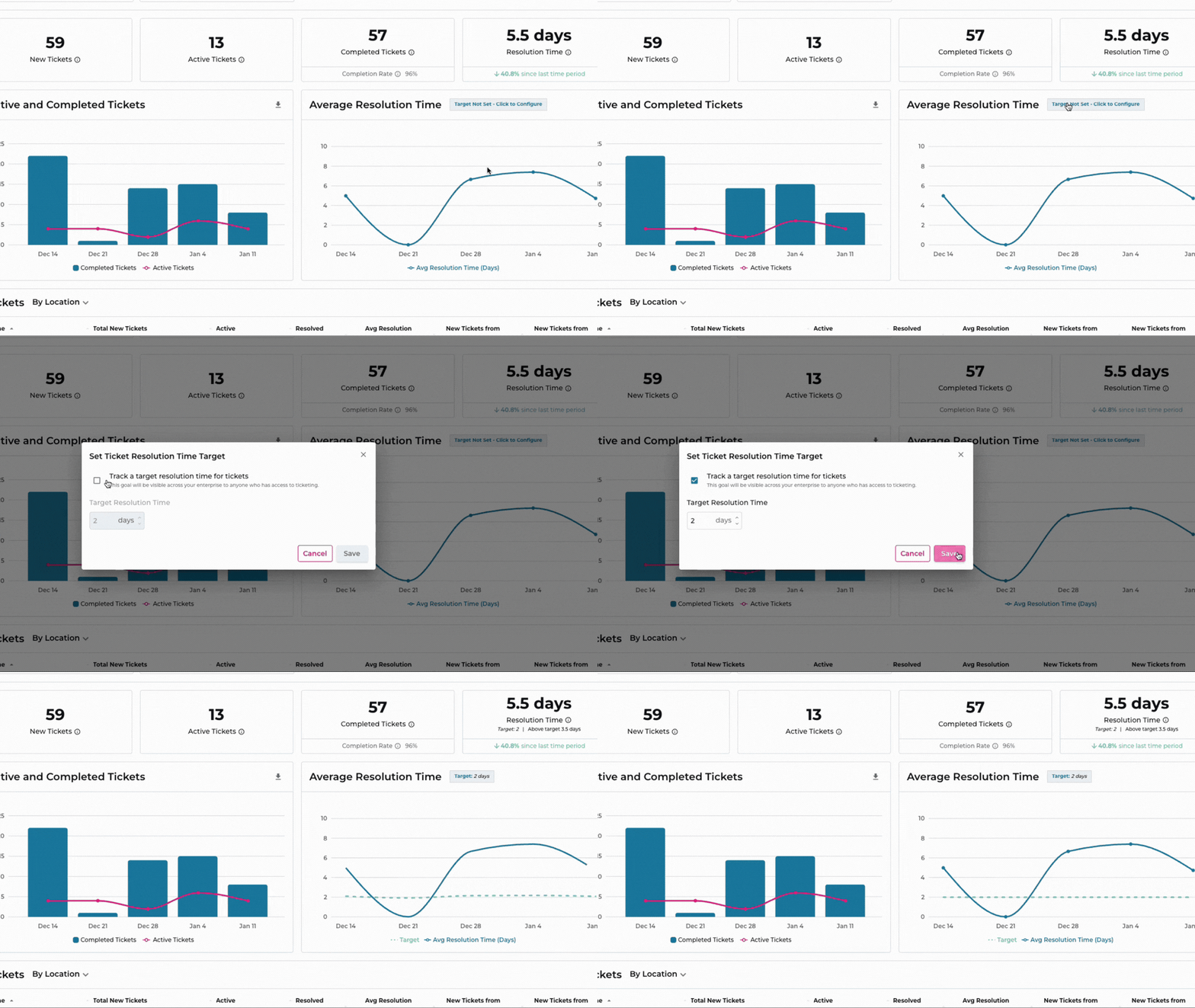
-
Navigate to Insights > Ticketing
- Click Set Goal at the top right of the page. Alternatively, you can click the Target Not Set - Click to Configure message in the Average Resolution Time graph.
- Click Track a target resolution time for tickets.
- Input your resolution time target in days. Click Save to apply the target.
- The Average Resolution Time graph will update to show your goal. The target time will be displayed as a dashed green line on the graph.
How to Remove a Ticket Resolution Time Target
-
Navigate to Insights > Ticketing
- Click Set Goal at the top right of the page. Alternatively, you can click the Target displayed at top of the Average Resolution Time graph.
- Click Track a target resolution time for tickets to turn off goal tracking for this metric.
- Click Save to apply your changes.